For any local enterprise in 2025, selecting the right foundation for your online presence is a critical strategic decision. This choice directly impacts long-term growth, customer visibility, and daily operations. With over 63% of the global population now active online, a robust and effective website is non-negotiable for capturing market share.
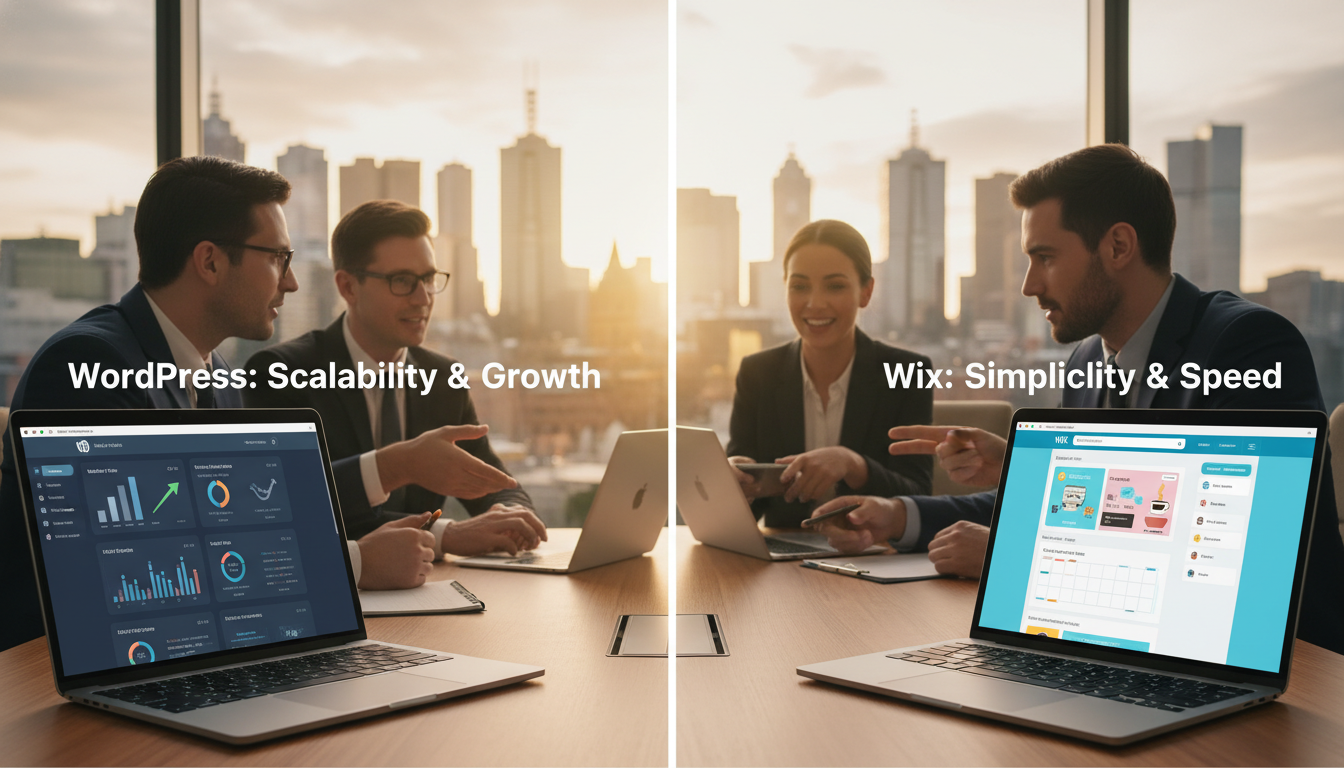
The core difference lies in the approach. Solutions like Wix offer a streamlined, all-in-one hosted package. In contrast, the open-source WordPress platform provides unparalleled flexibility and complete control. This distinction is reflected in global adoption, where WordPress powers a dominant share of all websites, far outstripping other hosted solutions.
This professional guide provides a data-driven analysis for business owners. We’ll compare key areas like ease of use, design freedom, SEO capability, and ecommerce function. Our goal is to offer clear, practical guidance to help you avoid costly platform mistakes and select a solution that aligns with your growth trajectory.
Key Takeaways
- Your website platform is a long-term strategic business decision, not just a technical choice.
- The digital marketplace is vast, making a strong online presence essential for competitiveness.
- Open-source solutions offer greater control and flexibility compared to all-in-one hosted packages.
- Global usage data shows a clear preference for powerful, scalable platforms.
- Informed platform selection prevents future costly migrations and limitations.
- This analysis will cover critical factors like design, SEO, performance, and total cost of ownership.
- The right choice supports your business’s unique growth path and operational needs.
Understanding the Website Builders Market in Australia
Australian companies navigating the online space must first understand the competitive field of website platforms. The market share of a platform indicates its stability and long-term viability.
Market Share Insights
Market share directly signals platform stability, available developer talent, and plugin ecosystems. For local businesses, this data is crucial for risk assessment.
The dominance of certain software is stark. One platform powers 43.6% of all websites globally. Another popular drag-and-drop solution holds just 2.5%.
| Platform | Global Market Share | Top 1000 Sites Usage | Key Focus |
|---|---|---|---|
| WordPress | 43.6% | 47.5% | Scalability & Control |
| Wix | 2.5% | Limited | Simplicity & Speed |
| Squarespace | ~2.0% | Design-focused | Aesthetics & Templates |
Platform Popularity in 2025
This size advantage creates a powerful network effect. More users attract more developers, who create better plugins and themes.
For ambitious Australian businesses, choosing a platform with proven dominance reduces risk. It ensures ongoing innovation and security updates.
Squarespace occupies a design-focused middle ground. It appeals to creative industries but lacks extensive functionality.
WordPress vs Wix Melbourne: A Comparison for Local Businesses
At the core of every successful website lies a fundamental choice between convenience and control. This decision shapes what your online presence can become.
One solution bundles everything into a single monthly package. The other is a powerful system you build upon yourself. Your long-term ambitions will determine the best fit.
Key Comparison Metrics
To make an informed choice, evaluate these core areas side-by-side. Each platform serves a distinct purpose.
| Metric | Wix | WordPress |
|---|---|---|
| Platform Type | Closed, proprietary builder | Open-source CMS |
| Hosting Model | All-in-one subscription | Separate hosting required |
| Design Flexibility | Limited to template system | Complete creative freedom |
| Scalability | Suitable for basic needs | Grows with your enterprise |
| Maintenance | Fully managed | Requires technical oversight |
The all-in-one model is perfect for getting a site live fast. It appeals to startups without technical staff.
In contrast, the open-source route demands more initial setup. It rewards users with unlimited functionality and options.
A local cafe might thrive with simplicity. A growing online retailer needs the scalability and control of a powerful system.
Both are legitimate tools. Your priority—immediate launch or long-term strategy—guides the final decision.
Ease of Use and Initial Setup Compared
How fast can you launch a professional site? The answer depends entirely on the platform you choose. The initial user experience is where they differ most.
Wix’s Drag-and-Drop Simplicity
This builder is built for speed. Its intuitive drag-and-drop editor lets you place elements anywhere. You get immediate visual feedback.
For absolute beginners, the ADI tool creates a complete website in minutes. You just answer a few questions about your business.
All technical aspects are handled for you. This includes hosting, security, and SSL certificates. You can focus purely on design.
WordPress Learning Curve and Setup Process
The open-source path requires more initial steps. You must first select and set up your own hosting provider.
The software installation is often one-click, but it’s a separate task. Then you must learn the dashboard structure and plugin system.
The Gutenberg block editor offers a more visual experience than older versions. However, it works within a structured framework.
This initial learning curve is an investment. Mastering the fundamentals unlocks far greater long-term control and capability.
| Aspect | Streamlined Builder | Powerful CMS |
|---|---|---|
| Average Setup Time | 4 – 8 hours | 2 – 4 days |
| Technical Knowledge Needed | Minimal | Basic to Intermediate |
| Editor Type | Free-form Drag-and-Drop | Structured Block System |
| Initial Learning Investment | Low | Higher |
Your choice hinges on immediate need versus long-term ambition. A simple site can be live by tomorrow. A scalable, powerful online presence requires a few days of setup and learning.
Design Flexibility and Customisation Options
A website’s design is its first handshake with potential clients, setting the tone for all future interactions. In a visually driven market, this initial impression is critical for converting visitors into customers.
Template Options and Editor Tools
One popular builder provides nearly 1,000 professionally designed templates. These are organised by industry, offering a quick start for cafes, retailers, or creative firms.
You can modify colours, fonts, and layouts extensively without coding. However, a major constraint exists. Once you choose a template, you are locked in. Switching designs later requires a complete rebuild.
In contrast, the open-source ecosystem offers tens of thousands of themes. These range from free to premium options. The game-changing advantage is you can switch your theme anytime without losing any content.
This protects your investment in pages and blog posts. For deeper control, page builders like Elementor provide drag-and-drop simplicity. They rival the ease of simpler platforms while retaining far greater power.
For businesses with development resources, full access to the source code enables completely bespoke designs. This allows for perfect brand alignment and unique functional requirements.
| Aspect | Streamlined Builder | Powerful CMS |
|---|---|---|
| Template/Theme Library | ~1,000 industry templates | Tens of thousands of themes |
| Design Switching | Not possible without rebuild | Switch themes freely |
| Customisation Depth | Editor-based changes | Full code access available |
| Long-term Flexibility | Limited | Unlimited |
Consider a local fashion retailer. They might start with a simple template but will likely outgrow its constraints. A scalable platform accommodates evolving design needs from startup to enterprise.
SEO and Content Management Advantages
The ability to be found by your ideal customers online hinges on two interconnected pillars: SEO and content. For local enterprises, Google visibility directly determines customer acquisition.
SEO Optimisation Tools
One popular builder has made strides with its SEO Wiz tool. It guides users through fundamental steps like meta titles and custom URLs.
However, persistent limitations exist. Automatic renaming of images to cryptic filenames damages image search optimisation. The closed platform also prevents advanced technical implementations.
In contrast, the open-source solution is the professional standard. It offers granular control over every ranking factor. Powerful plugins like Yoast SEO provide real-time content analysis and automate technical tasks.
Content Management Features
Superior content management is where the open-source platform truly excels. Built originally for blogging, its system is exceptionally strong.
This strength directly benefits businesses publishing regular content.
A streamlined publishing workflow is crucial for maintaining a consistent online voice and authority.
Key features that empower this include:
- Advanced post scheduling and revision history.
- Sophisticated category and tag hierarchies for organisation.
- Integrated comment management systems.
For a local firm publishing weekly articles, this management system delivers far better search rankings and workflow efficiency.
Ecommerce Capabilities and Scalability
For businesses selling online, the platform’s ability to handle transactions and grow is non-negotiable. The post-pandemic shift has made digital storefronts essential for reaching customers.
Wix and WooCommerce Overview
One popular builder provides an all-in-one ecommerce plan. Its integrated dashboard manages products, inventory, and payments through many gateways.
This user-friendly approach lets owners launch a store quickly. However, its functionality has constraints. Product navigation is limited to one level, which complicates large catalogues.
The open-source alternative uses a powerful, free plugin. This solution powers a huge share of global online stores. Its core features are free, with thousands of specialised extensions available.
You can add booking systems, subscription billing, or complex shipping rules. This platform scales seamlessly from a dozen to thousands of products.
| Aspect | All-in-One Builder | Plugin-Based System |
|---|---|---|
| Core Cost | Monthly subscription plan | Free plugin |
| Scalability | Suitable for basic catalogues | Grows with enterprise needs |
| Customisation | Restricted by template | Virtually unlimited via plugins |
| Business Integration | Limited native options | Connects to accounting, CRM, email |
The right choice depends on your catalogue complexity. A local artisan might thrive with the simpler plan. A retailer with wholesale channels needs the advanced functionality and integration features of the scalable system.
This ensures your website can evolve without a costly rebuild.
Performance, Security, and Maintenance Considerations
While design and content capture attention, it’s the backend infrastructure that ensures your website remains accessible and safe. These critical factors determine site reliability and longevity, even if visitors never see them.
Managed Hosting vs Self-Hosting
One popular builder provides fully managed hosting. All infrastructure, updates, and security are handled automatically. This includes free SSL certificates and protection from attacks.
Research shows this controlled environment helps many sites achieve good performance scores. In contrast, the self-hosted model requires you to choose a hosting provider.
This creates an opportunity for superior optimisation. Quality Australian hosts offer LiteSpeed servers and automated daily backups. They transform the maintenance equation with proactive monitoring.
Security Enhancements and Ongoing Maintenance
With a self-hosted platform, you maintain security plugins and implement updates. Quality local hosting providers offer managed services that handle these tasks professionally.
The control advantage is significant. Dedicated hosting allows businesses to optimise for specific traffic patterns. You can scale server resources as your company grows.
The choice offers a balanced perspective. A managed solution provides peace of mind for non-technical owners. A self-hosted site with premium support delivers superior performance potential.
Understanding the True Costs and Long-Term Value
Beyond monthly subscriptions, the true expense of a website platform includes long-term scalability and potential migration costs. For any business, calculating the total cost of ownership is a crucial financial step.
Transparent Cost Breakdown
Tiered subscription plans offer clear, predictable monthly pricing. Basic tiers often include platform branding. You must upgrade to connect a custom domain name or add ecommerce features.
This model creates a potential “feature ceiling.” Growing companies may find the advanced functions they need simply aren’t available on their current plan.
In contrast, an open-source platform like WordPress has a separate cost structure. You pay annually for your domain name and monthly for hosting. Premium themes and plugins are optional one-time or annual investments.
This à la carte approach lets businesses scale their costs with revenue. You only invest in premium tools when a specific need justifies the expense.
Explore Our Pricing And Packages
For professional guidance on platform costs and value, explore our comprehensive pricing and packages. Contact us at hello@seowebsitedesign.au or call 04 93869010 for a tailored analysis.
The higher initial setup investment is often offset by superior scalability. This avoids a costly future platform migration for your Melbourne enterprise.
Choosing the Right Platform for Your Business Goals
The ultimate website decision hinges on a clear-eyed assessment of where your business is headed. This strategic choice must align with your technical comfort, budget, and long-term growth plans.
It is not about arbitrary preferences. Your platform should serve your specific operational needs and future ambitions.
Budget Considerations and Customisation Needs
Your available budget directly shapes your options. A simple, all-in-one subscription suits those with limited funds and straightforward functionality needs.
For ventures requiring unique features, the investment in a flexible, open-source system pays dividends. It allows for deep customisation that grows with your business.
| Business Profile | Primary Need | Ideal Platform Type | Key Reason |
|---|---|---|---|
| Sole Trader / Startup | Quick, professional site launch | All-in-one builder | Minimal technical involvement |
| Content Publisher / Retailer | Scalability & advanced functionality | Open-source CMS | Complete control & integration |
| Service Business | Basic online presence & bookings | All-in-one builder | Cost-effective simplicity |
| Growth-Focused Enterprise | Custom workflows & expansion | Open-source CMS | Unlimited scalability |
Future Growth and Scalability
Consider your growth trajectory seriously. A platform that fits today may hinder you in two years.
Businesses planning aggressive expansion need a system built for scale. This avoids a costly and disruptive migration later.
Your in-house technical resources also matter. Companies with developer support unlock maximum value from flexible systems.
Those without such resources may prefer a managed solution. The right choice balances immediate needs with future-proof functionality.
Conclusion
The data clearly indicates which solution offers proven scalability for ambitious ventures. Both platforms serve legitimate purposes, yet they suit fundamentally different business profiles and objectives.
The core distinction remains. Wix delivers immediate simplicity with managed infrastructure, perfect for a quick online presence. WordPress provides superior long-term value through flexibility and scalability.
Market share figures of 43.6% for WordPress versus 2.5% for Wix represent real-world validation of its capability to serve from startup to enterprise. This strategic choice impacts your digital capabilities and marketing effectiveness for years.
The best website builder isn’t universal for all businesses. It depends on your technical comfort, budget, and growth ambitions. Those planning significant expansion should invest in the learning curve of a more powerful system.
Seek professional guidance to avoid costly mistakes. Contact Website Design Melbourne at hello@seowebsitedesign.au or call 04 93869010 for expert support.
Evaluate your specific requirements against this comparison. Consider your 3-5 year plans and choose the platform that aligns with your strategic objectives, not just immediate convenience.